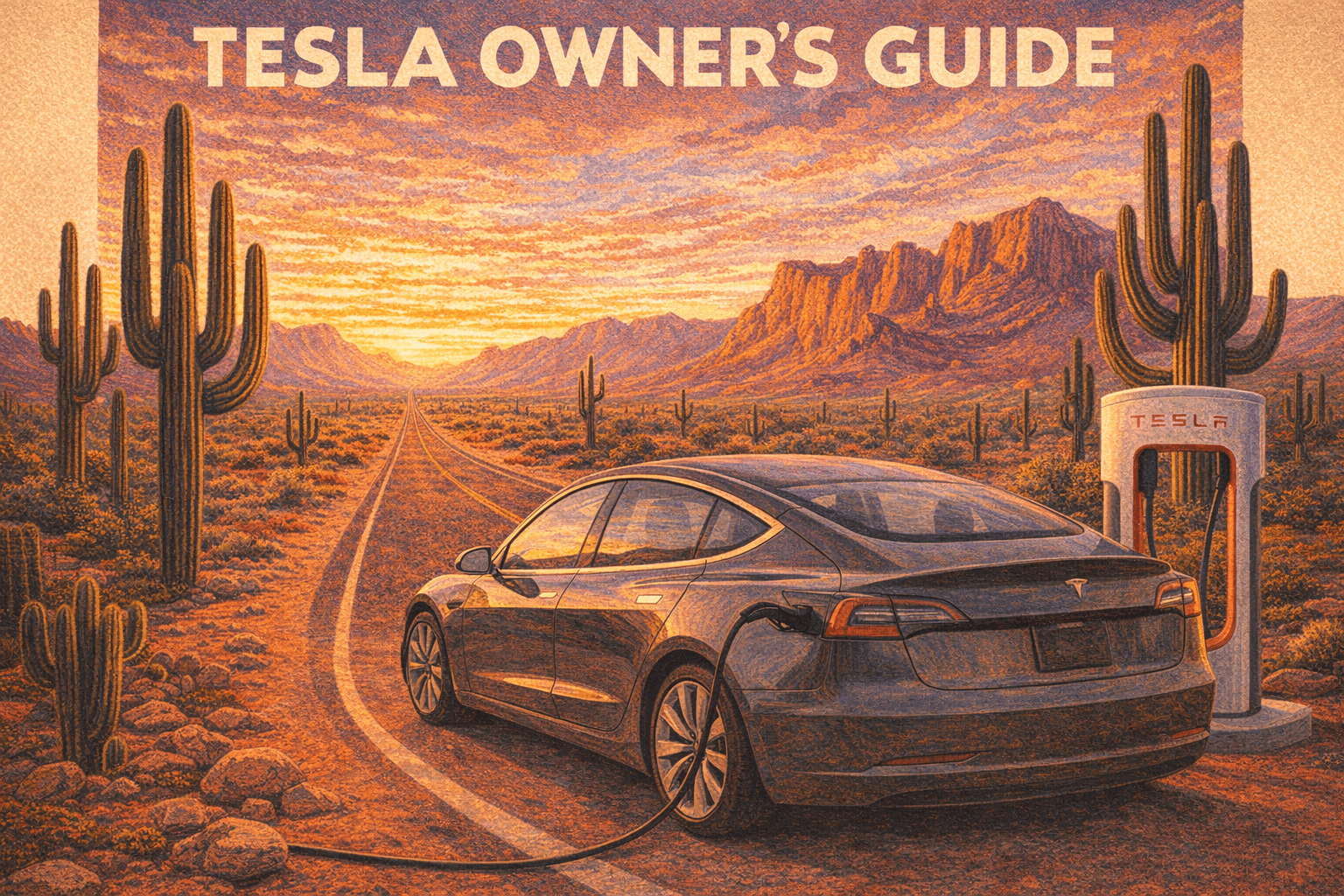
Diana bought her 2021 Tesla Model 3 Long Range AWD new. It was her first brand-new car, and she picked it out herself. Five years and roughly 60,000 miles later, the thing still drives like it did when she brought it home. We just added Full Self-Driving (Supervised) for the Vegas road trip, and it handled the entire I-17 to I-40 to I-15 corridor with almost zero intervention. This guide collects everything we have learned owning and road-tripping this car through the Arizona desert and beyond.
Our Tesla
The 2021 Model 3 Long Range AWD shipped with dual motors, an 82 kWh battery pack, and a rated range around 353 miles (closer to 300 in real-world Arizona driving). It runs on Hardware 3 (HW3) for Autopilot and FSD processing. The car came with a lead-acid 12V battery (later models switched to lithium), Bluetooth phone key, and the 15-inch center touchscreen that controls everything.
At five years old, the battery has settled into a stable degradation curve. Tesla's 2026 Impact Report puts Model 3/Y Long Range packs at roughly 15% capacity loss after 200,000 miles on average. Our car at 60K miles sits well above that curve. The paint still looks good with ceramic coating applied in year one. The interior holds up surprisingly well for a car with no traditional dashboard or buttons.
The Model 3 does not get model-year refreshes the way traditional cars do. Tesla pushes changes mid-production, so a January 2021 build and a December 2021 build can have different parts. Our car landed somewhere in the middle of the production run.
Charging & Superchargers
Home Charging
Home charging is where you save the most money. We are on SRP (Salt River Project) in Chandler, which offers time-of-use rates with a super off-peak window from 11 PM to 5 PM. At roughly $0.15/kWh average residential, the Model 3 costs about 3.75 to 4.2 cents per mile to run. That works out to around $506-567 per year at 13,500 miles. An equivalent 30 MPG gas car at $3.50/gallon would cost roughly $1,575/year. The savings add up fast.
If you are on APS instead of SRP, the peak window shifts to weekdays 4-7 PM, with no peak hours on weekends. Same principle: charge overnight during off-peak.
Supercharger Network
Tesla's Supercharger network has grown massively. As of late 2025, there are 8,182+ stations and 77,682+ stalls worldwide. The US alone has 3,031 stations with 36,773 ports, which grew 21% in stations and 26% in ports over the course of 2025. The network delivered 6.7 TWh of energy that year.
Supercharger Pricing
- Peak hours (8 AM to midnight): roughly $0.35-0.50/kWh
- Off-peak hours: roughly $0.20-0.27/kWh
- Time-of-use pricing varies by station, with off-peak rates 30-40% lower
Full Self-Driving (FSD) in 2026
Two Tiers of FSD
As of March 2026, Tesla offers two distinct FSD products:
Pricing
- $99/month subscription (standard rate)
- $49/month for owners who previously purchased Enhanced Autopilot (EAP)
- The one-time purchase option was eliminated on February 14, 2026. Subscription only going forward.
- Future unsupervised FSD may cost $199/month on newer hardware
Hardware Compatibility
FSD v14 was designed for AI5 hardware. Our 2021 Model 3 runs HW3, which supports FSD (Supervised) but may not achieve the same performance ceiling as HW4 or AI5 cars. The current production rollout (v14.2.2.5) is going to HW4 vehicles first. HW3 vehicles get FSD, just potentially with some feature or performance gaps.
FSD v14 Architecture
The v14 system replaced thousands of lines of explicit driving code with an end-to-end neural network that processes raw video from eight cameras and outputs driving decisions directly. Navigation and routing are baked into the vision network (no separate routing layer). The system includes an upgraded vision encoder with higher resolution features, better handling of emergency vehicles, obstacles, and human gestures, and speed profiles including a conservative "SLOTH" mode and aggressive "MAD MAX" setting.
Known Limitations
FSD is impressive but not perfect. These are the areas where it still struggles:
- Reduced visibility: NHTSA is investigating 3.2 million vehicles for FSD failures in fog, glaring sun, and other low-visibility conditions. The degradation detection system sometimes fails to recognize when cameras cannot see properly.
- Camera condensation: Moisture can develop between the lens and outer cover in cold or humid conditions without triggering alerts.
- Phantom braking: Still reported, especially on undivided highways and under overpasses. This is the most common NHTSA complaint for the 2021 Model 3 (246 out of 494 complaints).
- Construction zones: City street performance degrades in active construction areas.
- Unprotected left turns: Minor limitations observed in real-world testing.
NHTSA has connected 58 incidents to FSD as of October 2025, including red-light running and crossing into opposing lanes. Tesla claims FSD (Supervised) delivers 7x fewer major/minor collisions and 5x fewer off-highway collisions compared to manual driving. These numbers are under scrutiny by safety researchers and regulators.
Maintenance
Tesla does not require annual maintenance visits or regular fluid changes. Service is on an as-needed basis. Check Controls > Service > Maintenance on the touchscreen for current status.
Scheduled Maintenance Items
| Service Item | Interval | Cost |
|---|---|---|
| Cabin air filter | Every 2 years | $50-80 (DIY-friendly) |
| Brake fluid health check | Every 4 years (replace if needed) | Tesla or qualified shop |
| Tire rotation | Every 6,250 miles | $35-50 per rotation |
| Brake caliper clean/lube | Every 12,500 miles (salted roads only) | Not needed in Arizona |
| A/C desiccant bag | Every 6 years (2021+ models) | Service center |
| Battery coolant | Every 4 years (recommended) | Tesla says "life of vehicle" normally |
What You Do NOT Need on a Schedule
- 12V battery: No fixed interval. The car warns you when replacement is needed. The 2021 Model 3 uses a lead-acid 12V (later models got lithium). At 5 years, replacement may be due or imminent. Cost: $80-120, DIY-friendly.
- High-voltage battery coolant: Tesla says it does not need replacement for the life of the vehicle under most conditions. Some sources recommend checking at 4 years.
- Wiper blades: Replace when visibility is poor. Arizona dust and heat degrade them faster than you might expect.
- Tires: The 2021 Model 3 LR AWD typically needs new tires at 25,000-40,000 miles depending on driving style. Budget $800-1,200 for a set of four.
Brake Pads: The Regenerative Braking Advantage
This is one of the best things about owning an EV. Thanks to regenerative braking, Tesla brake pads commonly last 70,000-100,000+ miles compared to 30,000-50,000 miles for conventional cars. At 60K miles in Arizona (no road salt), brake pads are almost certainly still fine. When they eventually need replacement, budget $250-450 per axle for pads alone, or $600-950 per axle for pads plus rotors.
5-Year / 60K Mile Summary
By this point, you should have completed:
- 2-3 cabin air filter replacements
- 1 brake fluid health check (possibly replacement)
- Roughly 10 tire rotations
- 1 A/C desiccant bag replacement
- Likely 1 set of replacement tires
- Battery coolant check recommended
Cost of Ownership
Annual Costs at a Glance
Running a 2021 Model 3 LR AWD in Arizona at 13,500 miles/year:
| Category | Cost per Mile | Annual Cost |
|---|---|---|
| Electricity (home charging) | ~$0.04 | ~$540 |
| Depreciation | ~$0.36 | ~$4,860 |
| Insurance | ~$0.22 | ~$2,970 |
| Maintenance + tires | ~$0.04 | ~$540 |
| Registration/taxes | ~$0.05-0.08 | ~$675-1,080 |
| Total | ~$0.71-0.74 | ~$9,585-9,990 |
Insurance in Arizona
The national average for Model 3 full coverage runs about $3,466/year. Arizona tends lower due to minimum liability requirements (25/50/15). State Farm reportedly offers the most competitive rate at roughly $2,069/year. Tesla Insurance is available in Arizona and uses usage-based pricing that tracks real-time driving behavior through the car's built-in sensors. Careful drivers can save significantly.
- Tesla Insurance for careful drivers with good Safety Scores
- State Farm for consistently competitive rates
- Progressive with their Snapshot usage-based program
- USAA if you are eligible (military/family), often the lowest rates overall
Arizona EV Registration
Good news: Arizona does NOT charge an additional annual EV-specific registration fee as of March 2026. A proposed $135/year fee (HB 2866) passed committee in 2025 but has not been enacted. You pay the standard Vehicle License Tax at $2.80 per $100 of assessed value. For a 5-year-old Model 3, the assessed value has depreciated significantly, so the VLT is modest.
Arizona EV Incentives
| Incentive | Details |
|---|---|
| SRP Wall Connector rebate | Up to $250 |
| Tucson Electric Power rebate | Up to $300 |
| SRP/APS reduced TOU rates | Special off-peak EV charging rates |
| HOV lane access | EVs with special plates can use HOV lanes |
Arizona does not currently offer a state purchase tax credit for EVs. The incentives here are mostly utility rebates and rate plans.
Software & Updates
Tesla pushes over-the-air updates that add features, fix bugs, and sometimes change the entire interface. Here is what has been notable recently.
FSD Rebranding (Update 2026.2.9)
"Navigate on Autopilot" has been renamed to "Navigate on Autosteer." The "Autopilot Features" menu is now called "Self-Driving Features." You can select between TACC, Autosteer, or Full Self-Driving. Speed Profile and Arrival Options are adjustable directly from the Autopilot visualization on the center display.
Grok AI Assistant (Update 2025.26+)
Tesla's voice assistant is now powered by xAI's Grok. It understands natural language (no precise command phrases needed) and can set navigation destinations, adjust routes, discover points of interest, and more. You can choose from different voice personalities, including "Storyteller" and "Unhinged" modes. It requires Premium Connectivity or stable Wi-Fi and is currently in Beta. Grok does not yet control media or climate settings. Navigation commands require software 2025.44.25 or later.
2025 Holiday Update (2025.44.25)
- 3D Supercharger Site Maps for 18 US locations (expanding to Europe)
- SpaceX ISS Docking Simulator game
- Rave Cave mode: accent lights sync with music beats
- Photobooth: selfies with filters and stickers, shareable via Tesla App
- Spotify improvements: add tracks to queue from search, seamless scrolling of playlists, albums, and podcasts
- Spotify HiFi is not yet available in-car (TIDAL remains the only lossless audio option)
- Apple Music has been confirmed but not yet released as of March 2026
FSD v14.2.2.5 Features
- Robotaxi-style arrival options (driveway, parking garage, curbside)
- Speed profiles: SLOTH (conservative) and MAD MAX (aggressive)
- Better handling of emergency vehicles, debris, and human gestures
- Navigation and routing integrated directly into the neural network
- Higher resolution vision encoder with real-time response to blocked roads and detours
Road Trips in a Tesla
Road tripping is where a Tesla either wins you over or frustrates you. After driving ours from Chandler to Vegas and back, here is what actually works.
Pre-Drive Checklist
Before any road trip, run through this:
- Clean all cameras -- wipe all 8 camera lenses with a microfiber cloth. Dust, bugs, and road film degrade Autopilot and FSD performance. The B-pillar cameras and the front-facing camera above the rearview mirror are the most critical.
- Check tire pressure -- set to 42 PSI cold (Tesla recommended). Every 1 PSI below optimal costs about 0.3% range. Arizona heat can over-inflate by 3-5 PSI so check when tires are cold in the morning.
- Charge to 100% -- for departure day only. Don't sit at 100% overnight. Charge to 80% the night before, then bump to 100% an hour before you leave.
- Pre-condition the battery -- set your departure time in the app or navigate to your first Supercharger stop before leaving. The car will warm the battery to optimal temperature for efficient driving.
- Update software -- if an update is pending, install it the night before. Don't start a road trip mid-update.
- Format dashcam USB -- go to Controls > Safety > Format USB Drive. Corrupted drives mean no Sentry Mode footage and no dashcam.
- Load your route in ABRP -- verify Supercharger stops are open (check for closures) and set your planned arrival charge at each stop.
- Pack the frunk -- drinks, snacks, charger adapters, J1772 adapter, sunscreen, microfiber cloth for camera wipes at stops.
Planning Tools
| Tool | Best For | Notes |
|---|---|---|
| Tesla Built-in Trip Planner | Real-time routing | Minimizes stops; uses live battery data; most accurate for current conditions |
| A Better Route Planner (ABRP) | Pre-trip planning | Minimizes total trip time; configurable for personal efficiency, weight, meal stops; can set arrival SoC as low as 1% |
| PlugShare | Non-Supercharger options | Best for scouting L2 chargers at hotels, restaurants, attractions; has user reviews |
| Tesla.com/trips | Desktop pre-planning | Basic route and Supercharger visualization |
Speed vs. Range
Aerodynamic drag increases with the square of speed. This matters more in an EV than a gas car because every watt-hour counts toward your next charging stop.
- 60 MPH: Great range, slower trip
- 70-75 MPH: Good balance of range and trip time (this is our sweet spot)
- 80+ MPH: Significantly more charging stops needed, but faster overall trip time
Driving faster always gets you there sooner, even with extra charging stops. But if you are trying to minimize stops, stay around 70-75 MPH.
Supercharger Stop Strategy
- Arrive with 5-10% battery for the fastest charging speeds (peak rate near 250 kW on V3 stations)
- Charge to 50-60% for intermediate stops (charging speed drops dramatically above 80%)
- Plan one longer meal stop where you charge to 80-90% while eating
- Prioritize 250 kW V3 stations over 150 kW V2 when practical
- Do not charge to 100% at Superchargers unless you absolutely need the range. The last 20% takes as long as the first 80%.
HVAC Impact
Air conditioning in an Arizona summer can reduce range by 10-15%. Pre-condition the cabin while still plugged in before departing to save battery for driving. Seat coolers use less energy than full cabin HVAC.
Tire Pressure
Tire pressure affects efficiency more on EVs than gas cars. A 1 PSI drop equals roughly 0.3% efficiency loss. Five PSI below the recommended 42 PSI could cost you 5 miles of range. Check and inflate before every road trip. Running 2-3 PSI above recommended can improve efficiency by about 1%.
Tesla in Arizona
Owning a Tesla in the desert comes with specific challenges that owners in mild climates never think about.
Battery Degradation in Heat
Arizona heat accelerates battery aging compared to moderate climates, but Tesla's liquid thermal management system is significantly better than air-cooled systems at regulating temperature. The key degradation factors are prolonged exposure to high ambient temperatures, frequent DC fast charging (especially back-to-back sessions), storing at high states of charge (above 80%) in heat, and aggressive driving style.
The 2026 Impact Report data showing 15% loss at 200K miles is a global average. Arizona cars may see slightly faster aging, but the thermal management system keeps it manageable if you follow best practices.
Cabin Overheat Protection
This feature monitors cabin temperature after you exit. When it exceeds roughly 105F, it activates in one of two modes: A/C mode (full cooling) or Fan Only (prevents touch surfaces from overheating). It runs for up to 12 hours after exiting, or until battery drops below 20%. Takes up to 15 minutes to activate after you leave. Battery drain is negligible in most scenarios, making it practical for daily use in Arizona.
Real-world testing shows the cabin drops from roughly 130F to about 110F with fan-only mode. A/C mode brings it down further but uses more battery.
Best Practices for 110F+ Heat
- Park in shade or a garage whenever possible
- Use a sun shade when parking outside (Tesla Shop sells them)
- Keep the car plugged in at home so thermal management can actively cool the battery on wall power
- Enable Cabin Overheat Protection (fan-only mode drains less battery)
- Charge during cooler hours (late evening or overnight, aligns with SRP off-peak)
- Keep daily charge limit at 80%, not 100%
- Stay in the 20-80% range for daily use
- Minimize frequent DC fast charging and back-to-back Supercharger sessions
- Pre-condition the cabin while still plugged in before driving
- Use seat cooling to reduce full-cabin A/C load
- Avoid aggressive acceleration that generates excess battery heat
- Ceramic tint on all windows significantly reduces cabin heat buildup and A/C workload
- Arizona law allows 33% VLT on front side windows, any tint on rear
- This is one of the best investments you can make for an Arizona Tesla
Tips & Hidden Features
Sentry Mode
Sentry Mode uses all cameras to monitor surroundings while parked. It detects suspicious activity, saves the last 10 minutes of footage, and sends a push notification to your phone. Battery drain runs about 1-2% per hour in busy areas (older software was worse, newer versions cut drain by roughly 40%).
USB Drive Setup for Dashcam/Sentry
The 2021 Model 3 came with a pre-formatted USB drive in the glovebox. For the best long-term experience, replace it with a high-endurance micro-SD card (5,000+ TBW rating) in a USB adapter. These draw 0.25W compared to 4W for an SSD, which means less heat and less phantom battery drain. Minimum 64 GB storage, sustained write speed of 4 MB/s or higher. Use the glovebox USB port (preferred) or front console USB. Rear USB ports are charge-only and do not record.
Dog Mode
Keeps the cabin at a comfortable temperature while you are away. The screen displays: "My owner will be back soon. Don't worry! The AC is on and it's [temperature]." Prevents well-meaning strangers from smashing your windows.
Camp Mode
Maintains climate control, interior lights, and device charging overnight. You can play music and watch entertainment on the screen. The alarm system and Sentry Mode are disabled. We have not used this on a trip yet, but the car works as a mobile hotel room for camping.
Phone Key Tips
- Uses Bluetooth Low Energy for passive unlock/lock, range up to about 30 feet
- Keep the Tesla app running in the background
- Keep your phone charged (low battery can interrupt BLE)
- Use the Priority Device feature to assign your preferred phone per driver profile
- If the phone key becomes unreliable: unpair and re-pair in the Tesla app
- Always carry a backup key card in your wallet
Voice Commands with Grok (2026)
Grok enables natural language commands. No precise phrases needed. Examples:
- "Navigate to the nearest Supercharger"
- "Set cabin temperature to 72"
- "Open the frunk"
- "Turn on seat heater"
Fun Easter Eggs
- Caraoke: karaoke with on-screen lyrics
- Fart Mode: plays fart sounds through selected seat speakers (officially called "Emissions Testing Mode" in settings)
- Romance Mode: simulated fireplace on screen with ambient music
- Santa Mode: holiday Autopilot visualization
- Mars Mode: Mars landscape on navigation
- Rave Cave: accent lights sync with music beats (2025 Holiday Update)
- Photobooth: selfies with filters from inside the car
- SpaceX ISS Docking Simulator: game added in the 2025 Holiday Update
Other Useful Features
- Scheduled Departure: Pre-condition cabin and battery at a set time
- Speed Limit Mode: Cap max speed (useful for teen drivers)
- Valet Mode: Restricts speed and locks personal info
- Pin to Drive: Require a PIN to start driving (theft deterrent)
Common Issues at 5 Years
The 2021 Model 3 has been subject to 20 NHTSA recalls. Most were resolved through over-the-air software updates. Here are the issues we and other owners actually encounter.
Recalls (Notable)
| Recall | Issue | Fix |
|---|---|---|
| Hood latch | May not detect unlatched hood | Service center repair |
| Seat belt warning | Light/chime may not activate | OTA update |
| Pedestrian Warning System | Factory reset muted sounds | OTA update |
| Window auto-reversal | Excessive pinch force | OTA update |
| Brake caliper bolts | May be loose | Service inspection |
| Forward collision / AEB | Unexpected emergency braking | OTA update |
| Airbags | May be twisted/misaligned | Service inspection |
Suspension Noise (Control Arms)
This is a very common issue affecting 700,000+ Tesla vehicles worldwide. The front lower control arm bushings tend to tear around 40K-70K miles. Symptoms include clunking, squeaking, or creaking from the front suspension under braking or acceleration. The root cause: windshield water channels drain directly onto the control arms, and the plastic overmold on the OE composite arms cracks and delaminates over time.
Tesla only offers complete arm replacement. Aftermarket upgraded components are available from MEYLE HD and Mountain Pass Performance for better longevity. Budget $300-600 per side for parts plus labor.
Screen Yellowing
Yellow bands appear around the touchscreen perimeter on screens with Innolux G170J1-LE1 panels. This is caused by adhesive UV degradation from heat exposure (especially common in Arizona). Tesla has a UV light fixture tool that removes the yellowing in 2-3 hours, free under warranty. This cannot be done by mobile service; it requires a service center visit. Out of warranty, screen replacement runs $1,500-2,500. A class action lawsuit has been filed over this issue.
Door Panel Rattles
Common due to loose wires and broken clips in the door panels, particularly around the armrest area. DIY fix: foam seal tape or adhesive felt tape from any hardware store. Does not require a service center visit.
12V Battery
At 5 years, the lead-acid 12V battery may be due for replacement. The car will warn you. Cost is $80-120, and the swap is straightforward enough to DIY.
Other Known Issues
- Frameless window wind noise at highway speeds
- Touchscreen randomly rebooting or freezing (firmware replacement may be needed)
- Touch sensitivity issues (ghost touches)
- Lane departure false alerts
- Trim misalignment and panel gaps (some improve or worsen with temperature changes)
Wheel Care & Curb Rash
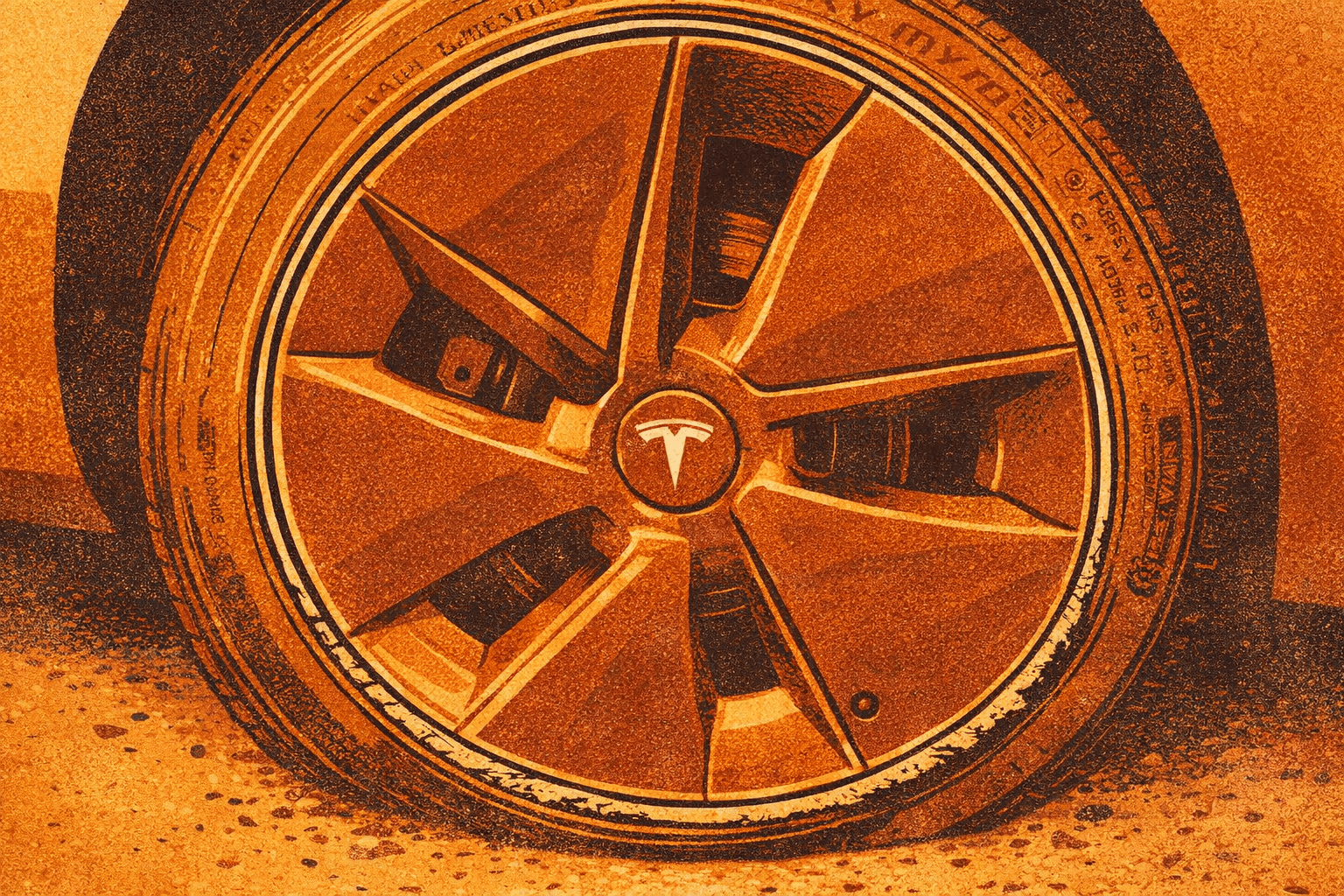
Low-profile tires on the Model 3 leave the wheel rims exposed to curb damage. If you drive in cities or park in tight spaces, curb rash is practically inevitable. Here is how to handle it.
Prevention
- Rim protectors: Aftermarket rubber strips (like RimBlades or AlloyGator) adhere to the outer lip of each wheel and absorb minor curb contact. They cost $40-70 for a set of four and can be replaced when damaged.
- Awareness: The Model 3's turning radius is tight, but the front wheels sit close to the fender. Take wide turns around curbs and approach parallel parking at shallow angles.
- Parking sensors: Use the ultrasonic sensors and camera feeds when pulling alongside curbs.
DIY Repair Kit
For minor curb rash (scuffs and shallow gouges), a touch-up kit works well:
- Sand the damage with 400-grit sandpaper to smooth the gouged area, then step up to 800-grit and 1000-grit for a smoother finish
- Clean thoroughly with isopropyl alcohol to remove all dust and oils
- Apply wheel-matched filler/primer (Tesla offers OEM touch-up paint by color code; third-party kits from companies like Chipex or Dr. ColorChip also work)
- Build up thin layers of touch-up paint, letting each dry before adding the next
- Wet-sand the repair with 2000-grit sandpaper once fully cured
- Finish with clear coat for UV and chip protection
For deeper damage that exposes bare metal, a professional wheel repair service runs $75-150 per wheel and produces a near-invisible result. Mobile wheel repair companies will come to your home or workplace.
When to Replace
If the wheel is bent (visible wobble at highway speeds) or has structural cracks, repair is not enough. A new Tesla OEM wheel runs $300-500 depending on the style. Aftermarket options from TSportline and others can cost less with comparable or better quality.
Resources
Official Tesla
- Tesla Owner's Manual: Model 3
- Tesla Support: Vehicle Maintenance
- Tesla Support: Charging
- Tesla Support: FSD
- Tesla Support: Incentives
- Tesla DIY Service: Model 3
Trip Planning
Community & News
- Tesla Motors Club Forum
- NotATeslaApp (Software Updates)
- Electrek (Tesla News)
- InsideEVs (EV Industry)